Why teams look for a Bonsai alternative
Bonsai is built for independents and small agencies: proposals, contracts and e-signatures, projects, time tracking and invoices in one tool. For one person or a pair, that is often all the software the business needs, until the team grows. PLYNTUM vs Bonsai covers the head-to-head.
- Several people now log time. Bonsai tracks time on every plan, but its pricing page lists no timesheet approval. Elite lists timesheet locking and needs at least 3 users (checked 25 September 2026).
- The per-user price grows with each hire. Invoicing starts on Essentials, at $19 per user a month billed annually ($25 monthly), and profit reporting on Premium, at $29 ($39). Ten people on Premium cost $290 a month billed annually (checked 25 September 2026).
- The language. We found no Georgian interface in Bonsai’s published information. PLYNTUM works in Georgian and English.
If proposals and contracts win your work, PLYNTUM is a step down: it has no proposals, contracts or e-signatures today, and proposals are planned, not available.
How to choose a Bonsai alternative
Start with how many people log time.
- Do you send proposals and contracts from the tool? Bonsai keeps them next to the invoice. With PLYNTUM you need a separate tool for proposals and signatures.
- How many people log time? For one to three people, Paymo costs less than PLYNTUM, and Bonsai does for one or two. From about five, compare totals.
- Does someone approve hours? Paymo lists timesheet approvals on Pro, Harvest on Enterprise and ClickUp on Enterprise, priced on request. PLYNTUM has manager approval from Core.
- Do you need profit per project? Bonsai has profit reporting on Premium and Paymo project profitability on Plus. PLYNTUM has project profitability from Core.
- Where do invoices come from? Paymo and Harvest invoice on every plan, their free plans included. ClickUp lists no native client invoicing.
Prices are the vendors’ own, checked 25 September 2026, excluding tax, on annual billing unless stated; team costs are arithmetic, not quotes. Nothing is ranked, and PLYNTUM, which we make, has its own section.
Six Bonsai alternatives
Paymo
Paymo is work management with time tracking and invoicing for small teams and freelancers. Invoices are on every plan, the free one included; recurring invoices and project profitability come with Plus, and timesheet approvals with Pro.
Billed annually, Solo is $5.90 for one user, Plus $10.90 per user and Pro $16.90 (the same as its current time-limited three-month offer); monthly prices are $9.90, $15.90 and $23.90. There is a free plan for one user and a 15-day trial (checked 25 September 2026). Ten users on Plus cost $109 a month billed annually. PLYNTUM vs Paymo
Best for: freelancers and small teams that want time, invoices and profitability at a low price.
Harvest
Harvest is time tracking with invoicing and expenses on every plan, with QuickBooks, Xero and Stripe integrations.
Teams is $9 per seat a month billed annually ($11 monthly), and Enterprise, which adds timesheet approvals, is $14 ($17.50). Extra invoices, projects, clients and tasks are billed by usage. There is a free plan for one seat and two projects, and a 30-day trial (checked 25 September 2026). Ten seats on Teams start at $90 a month. PLYNTUM vs Harvest · Harvest alternatives
Best for: teams that mainly need a timer and invoices, with approval on Enterprise.
Productive
Productive is agency software for resources, projects and finances. For a small agency that has outgrown Bonsai, it adds a sales pipeline, resource planning, budgets and time approvals on every plan.
Essential is $10 per user a month billed annually ($12 monthly) and Professional $25 ($29), with a 3-seat minimum and a 14-day trial (checked 25 September 2026). Three people on Essential cost $30 a month. The interface is in English only. PLYNTUM vs Productive · Productive alternatives
Best for: small agencies that want a pipeline and resource planning as they grow.
Teamwork.com
Teamwork.com is professional services software for client projects, resources and financials. Basics includes basic invoices; Accelerate builds invoices from logged time and tracks profit by project or client.
There is a free plan for up to 5 users. Basics is $9.99 per user a month billed annually with a 3-user minimum, and Accelerate $24.99 with a 5-user minimum; the trial is 14 days (checked 25 September 2026). Five people on Accelerate cost $124.95 a month. PLYNTUM vs Teamwork.com · Teamwork.com alternatives
Best for: small teams that want a free start and room to grow into client-project software.
ClickUp
ClickUp is one app for tasks, docs, goals and chat. It has a free plan and a very large feature surface, but no native client invoicing is stated, and timesheet approvals are on Enterprise only.
Unlimited is $7 per user a month billed annually ($10 monthly) and Business $12 ($19); Enterprise is priced on request, and the Free Forever plan includes 60 MB of storage (checked 25 September 2026). Ten users on Business cost $120 a month. PLYNTUM vs ClickUp · ClickUp alternatives
Best for: teams that want flexible task management and will keep invoicing elsewhere.
Ravetree
Ravetree is one work-management suite for agencies and professional services, sold as a single plan with every feature in it. It invoices natively, with two-way QuickBooks and Xero sync, and onboarding is free.
It costs $29 per user a month billed yearly, $34 quarterly or $39 monthly, with a trial of unstated length (checked 25 September 2026). Ten users cost $290 a month on yearly billing; per person, that matches Bonsai Premium. PLYNTUM vs Ravetree
Best for: small agencies that want every feature in one plan, with accounting sync.
Comparing other tools too? See every alternatives list we publish.
Where PLYNTUM fits, and where it does not
What it covers
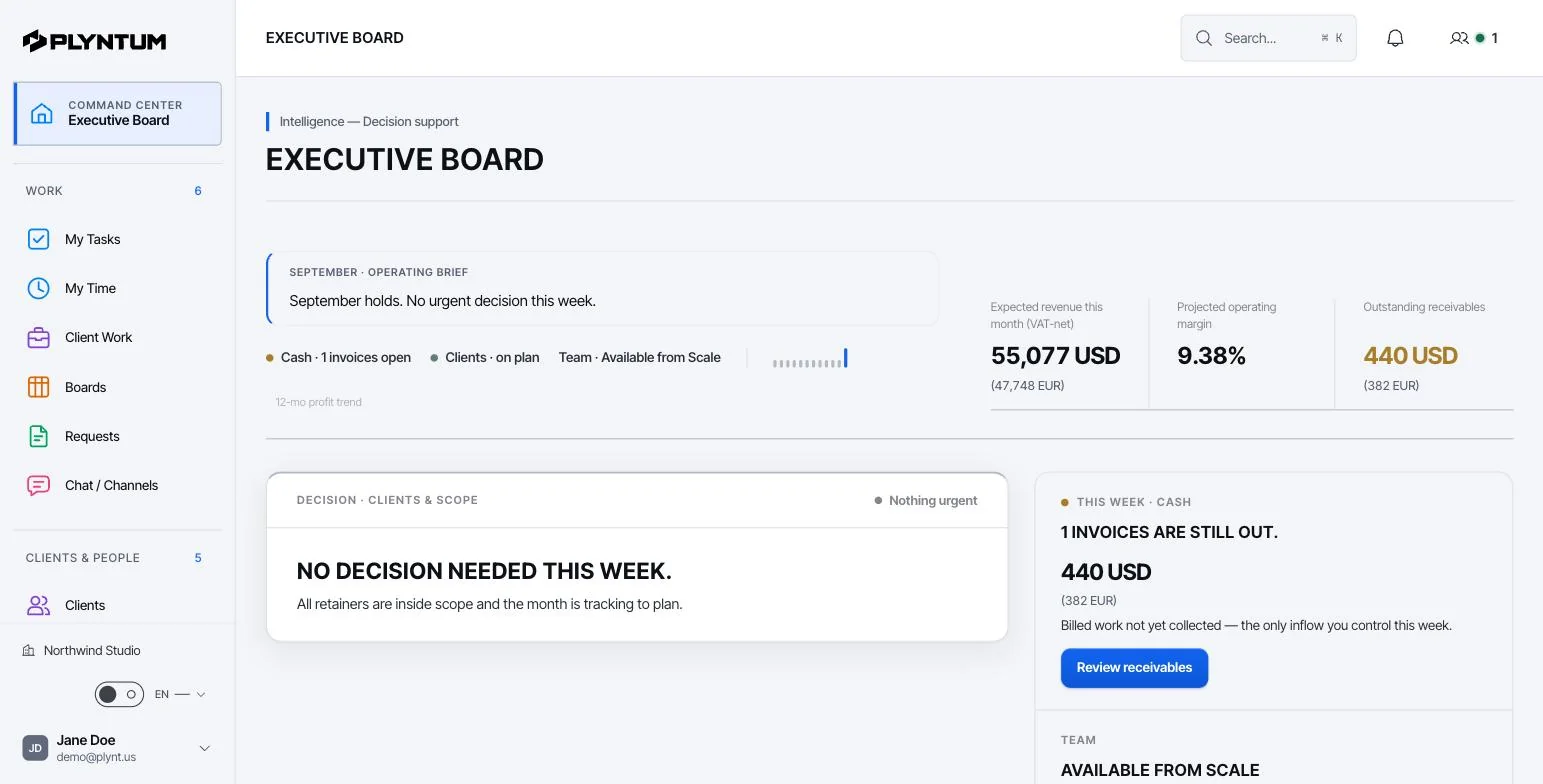
PLYNTUM is business management software for service companies. Projects, clients, people, time, invoices, expenses and receivables share one workspace. See how it works for a small business.
- Hours on a task. Time is typed in or run on a manual timer against a task in a client’s project, and marked billable or non-billable. From Core, a manager approves each person’s week, and a submitted or approved week is locked.
- Profit per project. From Core, labor cost is logged hours times each person’s hourly cost, derived from salary and working hours, plus project expenses, set against the project value.
- Billing. Invoices are composed by hand on every plan and shared by link or email. Core adds recurring invoices and a read-only client portal.
The price, worked through
PLYNTUM prices a workspace with members included: Launch is $55 a month for 5 members, 10 active clients and 20 projects, Core $150 for 10 members and Scale $450 for 25, or $44, $120 and $360 billed annually. Signing up starts a 7-day Launch trial with no card. See PLYNTUM pricing.
An example with Bonsai Essentials, its first plan with invoicing, and Premium, which adds profit reporting (checked 25 September 2026). Figures are billed annually, with monthly billing in brackets. It is arithmetic, not a quote:
- 1 to 3 people. Bonsai Essentials is $19 for one person, $38 for two and $57 for three ($25, $50, $75). Paymo is $5.90 for one person on Solo and $10.90 a person on Plus ($9.90, $15.90). Launch is $44 ($55). For one or two people Bonsai costs less than Launch, and Paymo does for up to three.
- 5 people. Bonsai Essentials is $95 ($125) and Premium $145 ($195). Launch is $44 ($55), but it has no timesheet approval, profitability, recurring invoices or client portal; Core adds them at $120 ($150).
- 10 people. Bonsai Essentials is $190 ($250) and Premium $290 ($390). Core is $120 ($150).
- 15 people. Core stops at 10 members, so this is Scale: $360 ($450). Bonsai Essentials is $285 ($375), less than Scale, and Premium $435 ($585).
What PLYNTUM does not do
- No proposals, contracts or e-signatures. Proposals and quotes are planned with the sales CRM; none is available today.
- Invoices are not built from hours. You compose each invoice by hand, and expenses are not re-billed automatically.
- Recurring invoices are not emailed. On Core, a recurring invoice creates the invoice record and an in-app notification; you send it.
- No free plan. The lowest price is Launch, whatever your headcount up to 5.
- No accounting, no mobile app. There is no ledger or tax filing, and PLYNTUM is a web app.
- No automatic time capture yet. Hours are typed in or run on a manual timer; automatic desktop time capture is in development.
When to stay with Bonsai
- You work alone or as a pair. Bonsai Essentials costs less than PLYNTUM Launch at that size.
- Proposals and contracts win the work. If clients receive, sign and pay from Bonsai, moving splits that flow across tools.
- You have many small clients. Launch covers 10 active clients and 20 projects; more clients mean Core, at 25.
- Nobody approves hours. If each person bills their own time, you may not need approval or profitability yet.
- You paid for the year. On annual billing, wait for the renewal date.
Moving from Bonsai
There is no Bonsai importer. PLYNTUM’s CSV import covers clients, employees and expenses, with a preview and an undo within 24 hours; the rest is set up by hand.
- Export before you cancel. Clients, projects, time entries and unpaid invoices. Download signed contracts and proposals and keep them in your own storage.
- Import clients, people and expenses. Paste the CSV exports into PLYNTUM’s import, check the preview and commit.
- Set up projects and open tasks. Every hour belongs to a task in a client’s project. Give each project its value and estimated hours.
- Enter unpaid invoices. Add open invoices by hand so nothing owed goes missing.
- Keep a tool for proposals. Until PLYNTUM’s proposals are available, send proposals and contracts from a separate tool.
- Run both for one month. Invoice from PLYNTUM once its hours match Bonsai’s.
Try one real client on Launch’s 7-day trial first; timesheet approval, profitability and recurring invoices need Core. If you want help planning the move, write to us.
Sources
Every price was checked on the vendor’s own pricing page on 25 September 2026. If something has changed, tell us at info@plyntum.com and we will correct it.