Scope, capacity and deadlines for project managers
Every “small change” changes the plan. The client adds a request. Your delivery date stays the same, but responsibilities, workload and approvals need to change.
Key facts
- Scope in one place
- A client request becomes a task with an owner and a deadline on the same board the team already works from; the agreed scope is what everyone sees.
- Capacity before promises
- Assignments, attendance and leave sit next to the plan, so an overloaded person is visible before a date is promised, not after it slips.
- Four views of one board
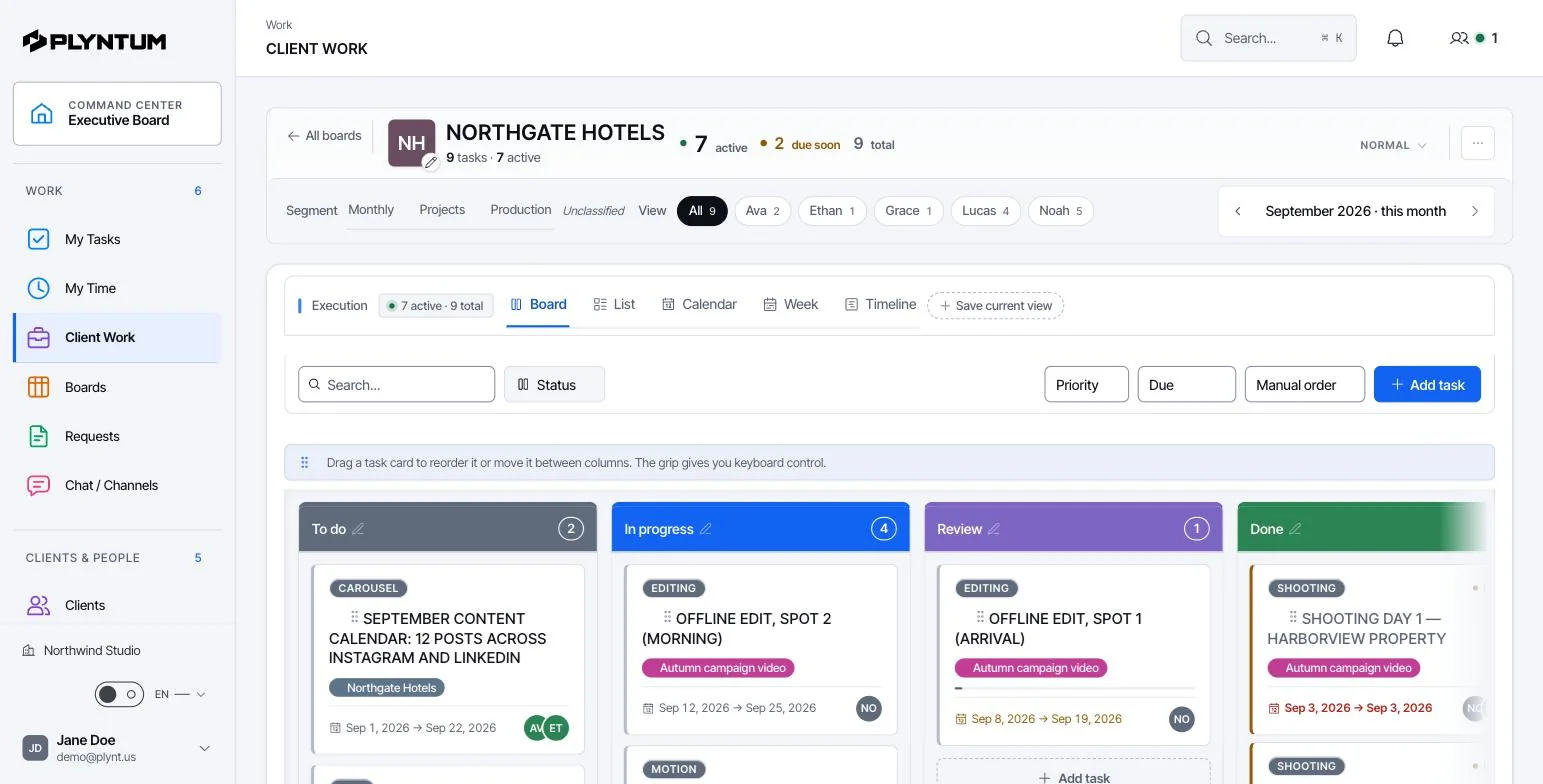
- List, board, calendar and timeline are views of the same tasks; changing a deadline in one changes it everywhere.
- Not included
- No automatic desktop time capture and no AI suggestions for task assignment today.
The next step becomes clear.
Update the task, owner and deadline in context. Let everyone work from the same agreed scope.
See the next connection Workspace / Website launchN
How it looks in PLYNTUM.
Screens from a demo workspace with sample data, as the product looks today.
What stays connected.
The details behind the workflow, including what is available and what is still planned.
What happens to a mid-week request
A client asks for one more page on Wednesday. In PLYNTUM the change is recorded where the work already lives: as a task on the project, with a named owner, a date and the file or message it came from attached. Whoever reviews it can see the same thing you saw when you agreed to it.
That matters most a month later, when someone asks why the scope grew. The answer is not a memory or a chat search; the task, its comments and the files behind the decision sit on the same project.
Reading capacity before you promise a date
The people view shows committed work per person for the weeks ahead, not an average. One designer at 140% and another at 40% is a scheduling problem, not a staffing problem, and it is fixable on Wednesday. Found on Friday, it is a missed deadline.
Recorded time stays attached to the project, so the estimate you give next quarter can be checked against what the same kind of work actually took — 06:15 recorded on a task that was planned for four hours is information, not blame.
Handover without a meeting
When someone joins the project or covers a holiday, the context they need is the project itself: the agreed scope, the open tasks, who owns what, the approved files and the decisions already taken. Nothing has to be reconstructed from three inboxes.
The same structure answers the question a client asks at the worst moment — “what was agreed on this?” — with a record rather than an opinion.
Available today, and what is planned
Tasks, projects, clients, team requests with a recorded decision, and time recording are available today; weekly timesheet approval comes with Core and the workload view per person with Scale. The client portal and recurring invoices are part of the Core plan; portfolio views, resource planning and custom roles come with Scale.
Automatic rescheduling, AI task summaries and an expanded CRM are in development. Wherever a feature is still planned, the product and this site say so rather than implying it is there.
Start with the work that keeps getting stuck.
Bring one project into a connected workspace. See the work, the people and the cost together.