Operations visibility for agency owners and CEOs
Stop asking three people for one answer. You need to decide what to take on next. Project status, team effort and financial results are scattered across separate updates.
Key facts
- One screen for the company
- The Executive Board shows project value, money received and remaining, workload and overdue items together, from the same records the team works in.
- Where a number comes from
- Every figure traces back to a task, a logged hour, an expense or an invoice; there is no separate reporting copy to reconcile.
- Several companies
- An owner of more than one company switches between separate workspaces with one sign-in; each company keeps its own clients, tasks and money.
- Not included
- No AI summaries of the board or payroll today. CRM core is subject to plan and role access.
The next step becomes clear.
Review the business from connected work and financial records. See what needs attention before your next commitment.
See the next connection Workspace / Website launchN
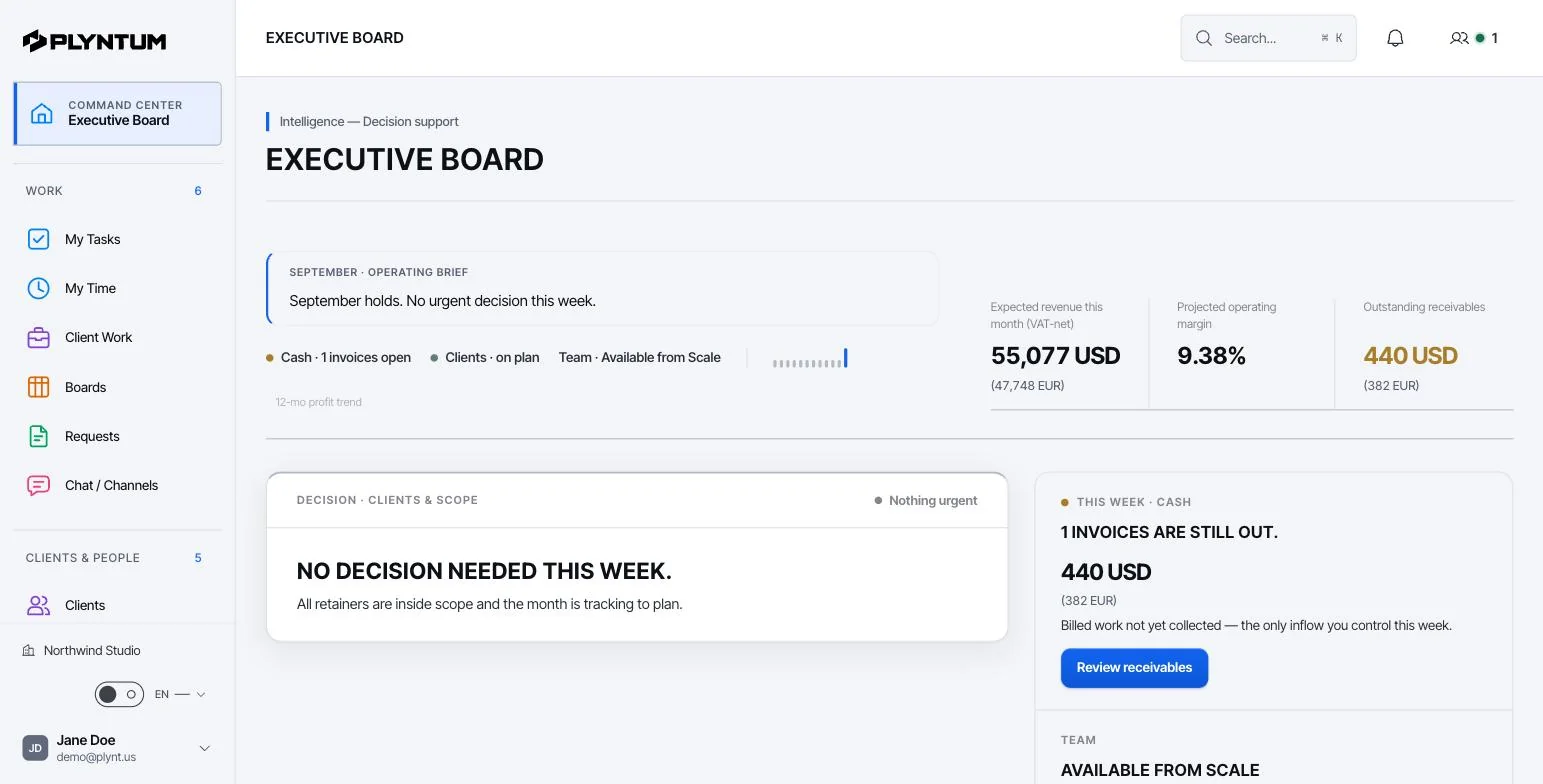
How it looks in PLYNTUM.
Screens from a demo workspace with sample data, as the product looks today.
What stays connected.
The details behind the workflow, including what is available and what is still planned.
What the Executive Board answers on a Monday
The board opens with the small set of numbers a decision actually needs: how many projects are active, which one is waiting on you, how much of the team's week is already committed, and what is overdue. Three active projects with one decision pending and the team at 80% allocated is a different week from three projects with nothing pending and the team at 55%. The second week has room for a new client; the first does not.
Nothing on the board is typed in for reporting. Each figure is the current state of the records your team is already working in — a task that moved, an hour that was reviewed, an expense that was entered, an invoice that was paid.
One project, from brief to bank
A website project is agreed at $8,000. The team records 120 hours against it; at an internal cost of $35 an hour that is $4,200 of effort. Direct expenses — stock photography, a font licence, a subcontracted illustration — add $1,000. The project leaves $2,800 before the company's own overhead.
The invoice is a separate question. Of the $8,000, $4,000 has been collected and $4,000 is still outstanding. Revenue tells you the project was worth taking; the collected amount tells you whether salaries are covered this month. PLYNTUM keeps the two apart on purpose, because a profitable project with unpaid invoices is still a cash problem.
Before you commit to the next project
The same screen supports the decision you are actually making: can we take this on. You are looking at three things — whether anyone has capacity in the weeks the work would land, what similar projects have really cost to deliver, and how much of the money already invoiced has arrived.
When the answer is no, it is usually visible before the commitment rather than after the deadline slips. That is the practical difference between a connected workspace and a status meeting.
What it does not do today
CRM core is released, subject to plan, role and permissions. Proposal drafts, won-deal handoff and manual forecasts have plan limits; inbox and integrations require separate setup. AI and private capture remain in development. Review CRM access and limits.
Portfolio views, resource planning and what-if forecasts are part of the Scale plan; full audit access arrives on the same plan. The Launch and Core plans cover a single company's day-to-day work rather than a portfolio.
Further reading: Too many tools, too many projects: protecting focus.
Start with the work that keeps getting stuck.
Bring one project into a connected workspace. See the work, the people and the cost together.