
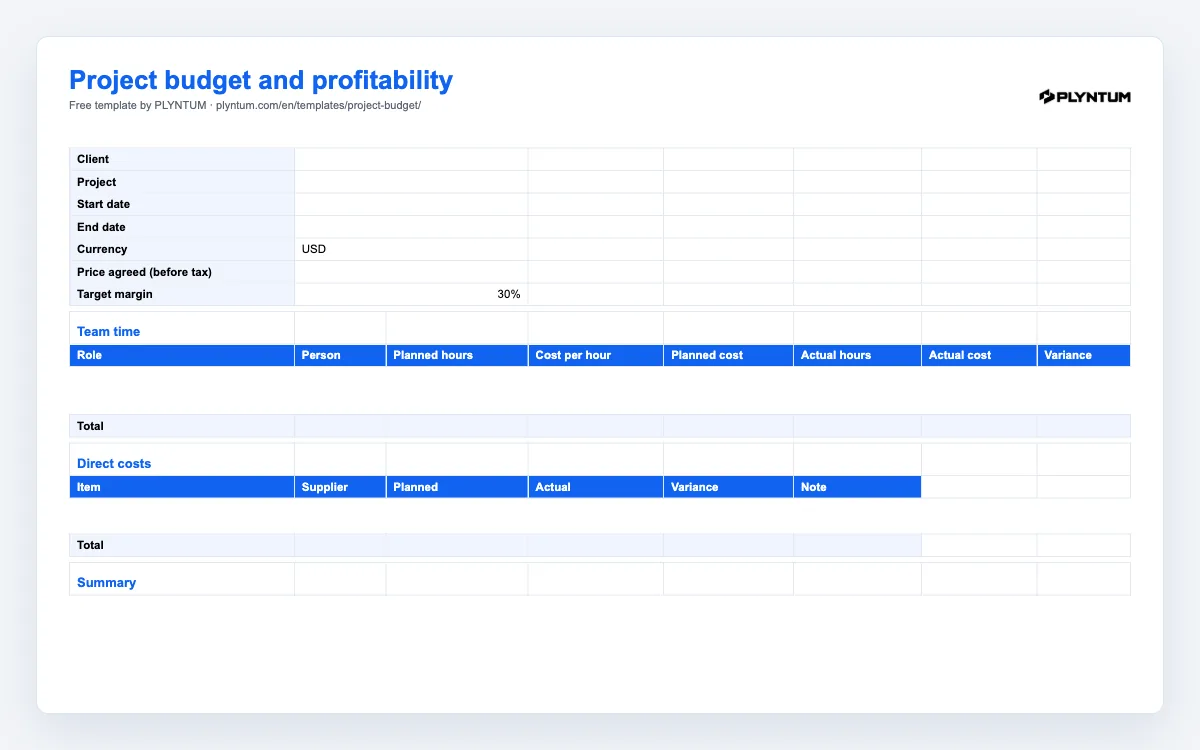
What is in the project budget template
The file, plyntum-project-budget-template.xlsx, has two sheets. Budget is the one you fill in:
- Header: client, project, start and end dates, currency, the price agreed before tax, and the margin you want to keep (30% to start with).
- Team time: one row per role or person with planned hours and a cost per hour; planned cost, actual cost and the variance are formulas. Eight rows and a total.
- Direct costs: freelancers, licences, stock, travel: planned and actual, with the variance worked out. Six rows and a total.
- Summary: labour cost, direct costs, total cost, price, contribution before overhead, margin, and the price the project would have needed for your target margin. The margin turns red when it falls below the target.
How to use repeats the steps below inside the file. The workbook uses formulas only, with no macros, and opens in Excel, Google Sheets and Apple Numbers.
How to budget a client project, step by step
- Write down the price before tax. The price in the proposal, not the invoice total with VAT: margin is measured on what you keep.
- List the roles and the planned hours. Take them from the proposal or the scope of work; if neither exists yet, estimate per phase and add 15% for the parts you have not thought of.
- Use a loaded cost per hour, not the billable rate. Salary, employer costs and a share of overhead, divided by billable hours. The hourly rate calculator works it out per person.
- Add the direct costs. Anything bought for this project only. Agency fees to freelancers belong here, not in team time.
- Read the margin before you say yes. If it is below the target, the last line of the summary tells you the price that would fix it. Change the price, the hours or the scope, not the cost per hour.
- Fill in the actuals every week. Actual hours come from the timesheet; actual direct costs from the invoices as they arrive. The variance columns show drift weeks before the project closes.
- Close the project with the file. The final margin is the number to compare with the next proposal for the same kind of work.
What the numbers mean
Contribution before overhead
Price minus the costs that exist only because of this project: the team’s hours at their loaded cost, and the direct costs. It is what the project contributes to rent, management and profit. A project with a positive contribution can still lose money for the company if overhead is not covered; that is why the cost per hour should already carry a share of it.
Margin and markup
Margin is contribution divided by price; markup is contribution divided by cost. A 30% margin is a 43% markup on the same project. Quote in margin, because that is what the summary compares with your target. The profit margin calculator converts between the two.
A worked example
Price 8,000. Team time 120 hours at a loaded cost of 35 an hour: 4,200. Direct costs 1,000. Total cost 5,200, contribution 2,800, margin 35%. At a 40% target the price would have needed to be 8,667; at 120 hours that is the difference between a good month and a free week of work.