Client management software for service companies
Your client’s history is in five places. The agreement is in email. The latest request is in chat. A colleague has the approved file. A new teammate cannot tell what was promised.
The next step becomes clear.
Connect client records to projects, agreements and work history. Give the next person the context they need.
See the next connection Workspace / Website launchN
How it looks in PLYNTUM.
Screens from a demo workspace with sample data, as the product looks today.
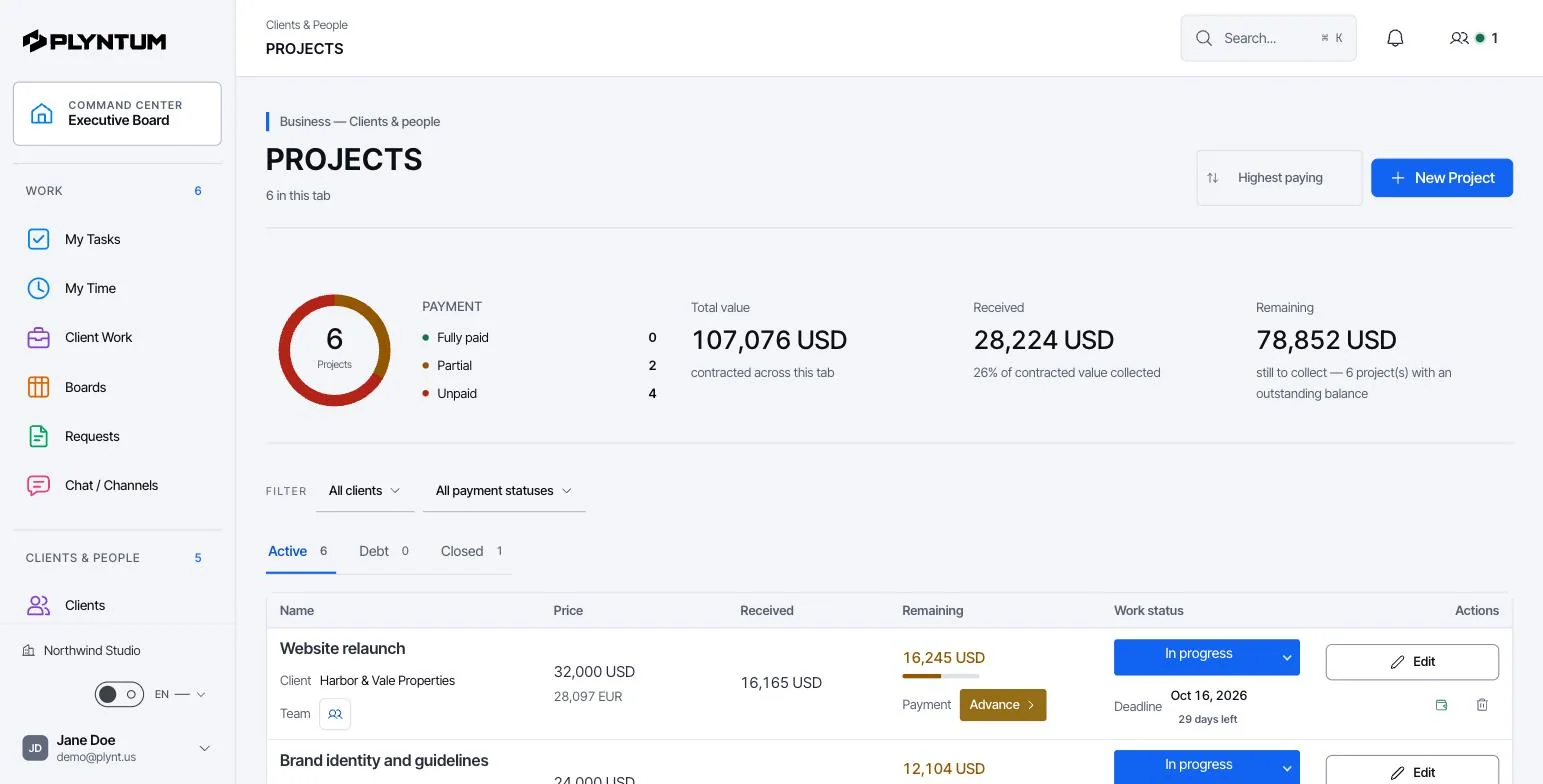
What stays connected.
The details behind the workflow, including what is available and what is still planned.
THE CONNECTION
When a client asks for an update, the answer often depends on several things: what was agreed, what is ready, what needs approval and what has been paid. Keep those details attached to the client relationship so the delivery and commercial teams can work from the same history.
Review client finances See requests and approvals
Agreements stay with the work
The team can see the agreed scope, relevant files and approval history alongside the work it owns. When responsibility changes, those details remain available to the next person.
A client portal with clear scope
Give each client a private link to their own projects, invoices, payments and balance. Internal records stay within the team’s access. See the client portal.
Renewals connected to real work
Review delivery history and commercial terms before agreeing to the next period of recurring work.
Also in the system
Contacts, retainers, requests, approvals, invoices and relationship history.
How a client relationship is kept together
A client record connects what was agreed, what is being delivered, what needs approval and what has been paid.
Create the client
Add the client, its contacts and the agreement or retainer that defines the work.
Attach the work
Open projects for the client. Tasks, files and decisions stay linked to the relationship, so a new team member can read its history.
Record agreed changes
Add an agreed client change to the project as its own task, with an owner and the files it came with.
Share through the portal
The client portal gives each client a private link to their projects, invoices, payments and balance. Internal notes, time and costs stay inside the team.
Read the result
Payments, outstanding invoices, logged time and direct costs come together on the client, so you can judge the relationship before the next period of work.
Who uses it
- Account and project leads
- Answer “where are we?” from one record: what was agreed, what is ready and what is waiting for the client.
- Finance
- See what each client has paid, what is still due and which work produced the cost.
- Company leaders
- Compare clients by the work they require and the money they bring before agreeing to more of the same terms.
Available today and in development
| Client records, contacts and retainersActive clients: Launch 10, Core 25, Scale and Intelligence no limit. | Available |
|---|---|
| Client portal | Core and above |
| Requests and approvals | Available |
| Invoices and recurring invoicesBasic invoices on every plan; recurring invoices from Core | Available |
| Renewal workflows | Scale and Intelligence |
| Client AI reports | Planned |
| Sales pipeline (CRM)Subject to plan and role access. | Available |
What it replaces
Client information usually sits in several places: a contact list, email, a shared drive and the invoicing tool. The delivery team sees the work but not the money; finance sees the money but not the work. PLYNTUM puts both on the client record, with access limited by role.
- Contact list or spreadsheet
- Approvals in email threads
- Status updates by email
- Separate invoicing records
Your first week
- Add your most active clients with their contacts and current agreements.
- Link each client’s open projects and move pending approvals into PLYNTUM.
- Record this month’s invoices and payments so the client view shows real figures.
Connected areas
Common questions
Start with the work that keeps getting stuck.
Bring one project into a connected workspace. See the work, the people and the cost together.