Project budgeting and profitability software
The invoice is $8,000. What did you earn? The client paid, but hours and expenses live in separate records. Revenue looks healthy while delivery costs stay hidden.
Key facts
- What it covers
- Invoices, recurring invoices, payments, expenses and receivables, next to the work they belong to.
- What it is not
- Not accounting software. Statutory bookkeeping and tax filing stay with your accountant.
- Who sees figures
- Financial records are limited by role; salary figures are leadership-only.
The next step becomes clear.
Connect reviewed effort, direct expenses and project revenue. See what remains before overhead, and track collected and outstanding amounts separately.
See the next connection Workspace / Website launchN
How it looks in PLYNTUM.
Screens from a demo workspace with sample data, as the product looks today.
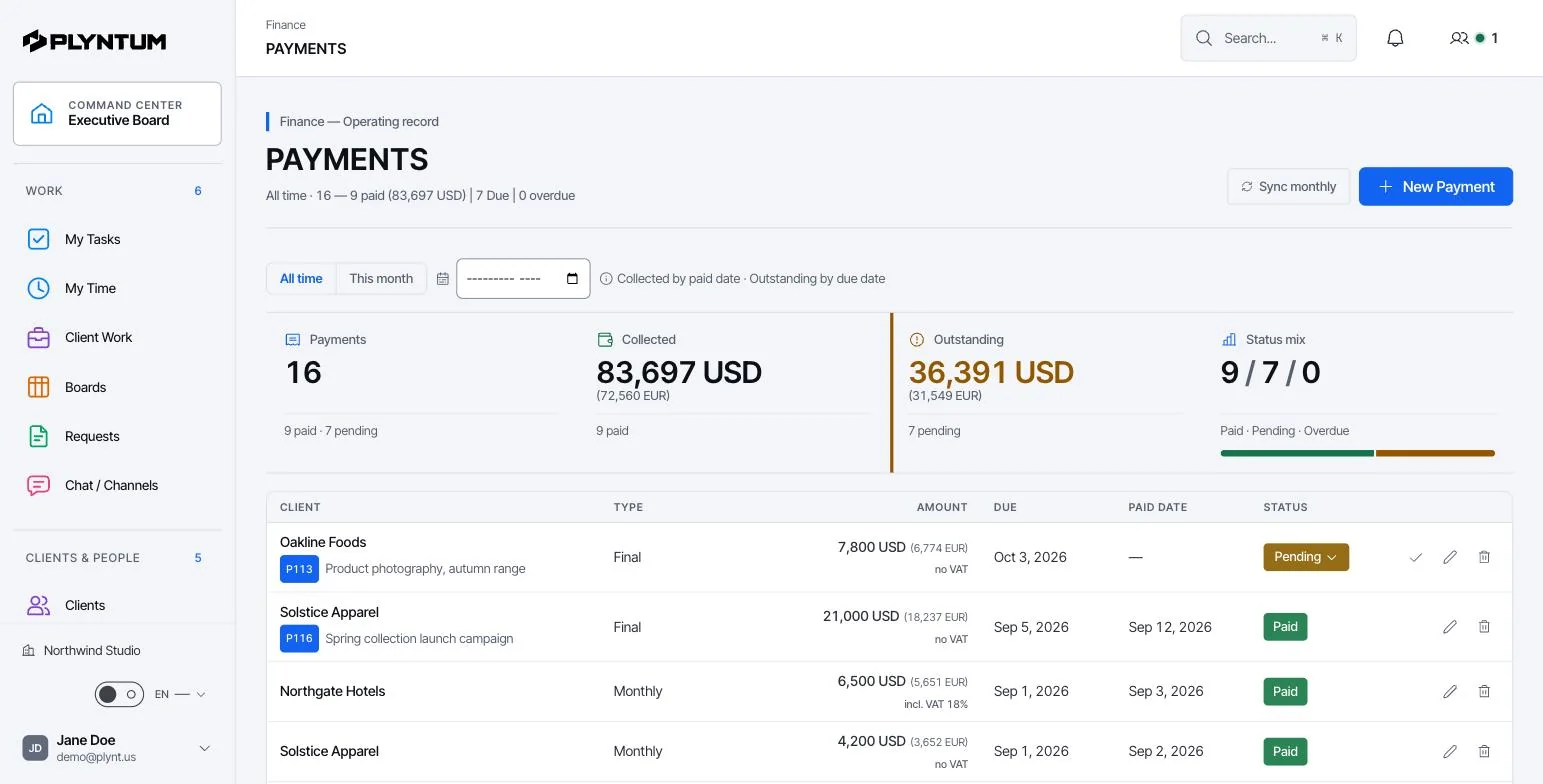
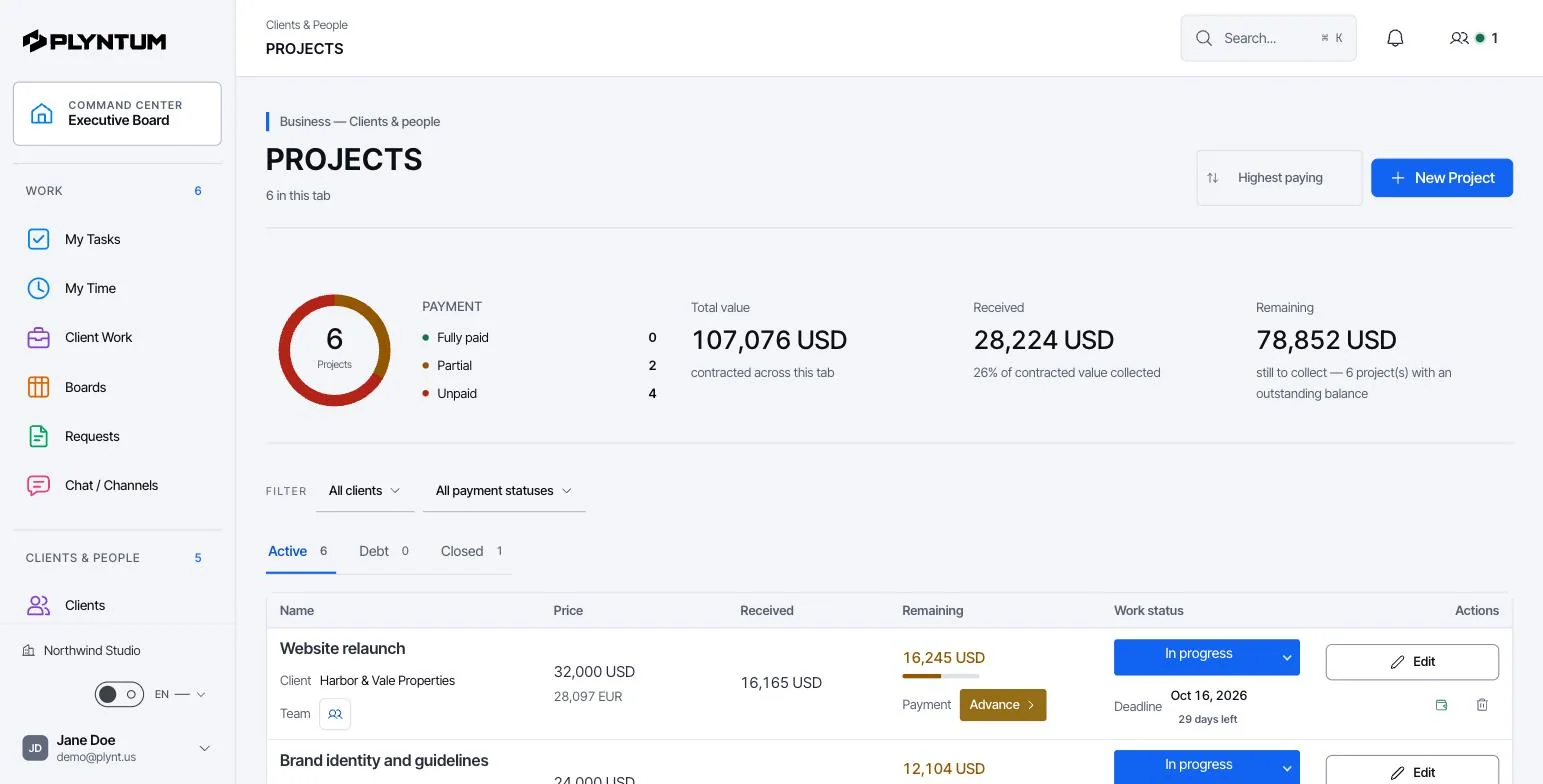
What stays connected.
The details behind the workflow, including what is available and what is still planned.
THE CONNECTION
A completed project and a paid project tell you different things. Review collected payments, outstanding amounts, logged hours and allocated delivery costs together. Trace a figure to the client or work behind it before drawing a conclusion about the result. Use your accounting records to confirm the wider financial picture.
Read the Scan methodology Explore client management
A number with a basis
Collected cash, unpaid invoices and estimates stay distinct. You can see the basis of the figure you are reading.
Follow the cost back to the work
Logged time and direct expenses explain allocated delivery costs. Unallocated company overhead remains separate.
AI helps explain the result
Financial calculations follow defined rules. AI advisory can explain a result and its related risks within the user’s access.
Also in the system
Payments, expenses, purchases, receivables, recurring invoices, 13-week cash flow planning and information in multiple currencies. Statutory accounting and tax filing remain separate.
Further reading: Fixed price or hourly: choosing project by project.
In a service business, a project budget is mostly hours. Take the fee, subtract the margin you want and the direct costs you expect, and what is left is the labor budget; divide it by what an hour of your team costs and you have the hours the project can take. The profit margin calculator does this sum as your hour budget.
In PLYNTUM the project sits under its client with its value. Tasks or phases carry estimated hours, people log time against them, and direct expenses such as a freelancer or a licence are recorded on the project. From Core, logged hours at each person’s loaded cost, plus those expenses, are set against the project value. That is what project accounting means here: cost and revenue tracked per project. The result is contribution before overhead, not net profit, and statutory accounting, VAT and payroll stay in your accounting system.
The figures below are an example, not a benchmark. A fixed-fee website project is priced at $18,000 with a 40% target margin, so costs may reach $10,800. Direct costs are $1,200, which leaves $9,600 for labor: 240 hours at a blended $40 an hour.
| Budget | After week 5 | |
|---|---|---|
| Hours | 240 | 170 approved |
| Labor at $40 an hour | $9,600 | $6,800 |
| Direct costs | $1,200 | $1,200 |
| Total cost | $10,800 | $8,000 |
| Share of the cost budget used | – | 74% |
The open tasks still carry 110 estimated hours. If they land on estimate, the project closes at 280 hours and $12,400 of cost: a 31% margin instead of 40%. Seen in week 5, that is a conversation about scope; seen after the final invoice, it is money already lost. See fixed price or hourly and how scope creep builds up.
How money is connected to the work
Finance in PLYNTUM is operational: it connects money to the work that produced it. Statutory accounting and tax filing stay in your accounting system.
Invoice the work
Create invoices on the client they belong to, including recurring invoices for retainers, or draft one from approved time (Core).
Record payments and expenses
Log payments, purchases and direct expenses against the client or project. Amounts can be kept in more than one currency.
Watch what is still due
Receivables show which invoices are unpaid and for how long, so follow-up starts before cash runs short.
Plan cash for 13 weeks
The cash flow overview brings expected receipts and planned payments for the next 13 weeks into one view.
Read the result per client and project
Logged time and direct costs show what the work cost; payments show what came back. Company overhead stays separate.
Who uses it
- Finance lead
- Keeps collected cash, unpaid invoices and estimates distinct and can show the basis of every figure.
- Owner or director
- Sees which clients and projects bring money in and which need more than they return.
- Project leads
- See the cost of delivery build up while the project is still running.
Available today and in development
| Invoices, payments, expenses and receivablesAll plans | Available |
|---|---|
| Recurring and approved-time draft invoices | Core and above |
| Cash flow overview (13 weeks)What-if scenarios from Scale | Core and above |
| Data import and export | Available |
| What-if forecasting | Scale and Intelligence |
| AI explanation of results and risks | In development |
| Statutory accounting and tax filingStays in your accounting system. | Not included |
What it replaces
Project results are often calculated after the fact, in a spreadsheet that combines the invoicing tool, the timesheet and a bank export. By then the project is finished. PLYNTUM keeps the same inputs connected while the work is still running.
- Project profit spreadsheet
- Receivables list
- Cash forecast workbook
Your first week
- Enter open invoices and receivables for current clients.
- Record direct costs for one project next to its logged time.
- Build the 13-week cash view from expected receipts and planned payments.
Connected areas
Common questions
Start with the work that keeps getting stuck.
Bring one project into a connected workspace. See the work, the people and the cost together.