Why teams look for a Harvest alternative
Harvest is time tracking with invoicing, built for teams that need to “track, analyze, and invoice their time”. It does that well: invoicing and expenses are on every plan, Teams adds Stripe, QuickBooks Online and Xero integrations, and there are Mac and iOS apps. PLYNTUM vs Harvest covers the head-to-head. The usual reasons to look elsewhere are these.
- Approvals and profit sit on Enterprise. Timesheet approvals and profitability reporting need Enterprise: $14 per seat a month billed annually ($17.50 monthly), against $9 ($11) for Teams (checked 25 September 2026).
- Planning is a second product. Resource planning is Harvest Forecast, a separate subscription at $5 per person a month billed annually (checked 25 September 2026).
- The base rate is not the whole bill. Harvest’s pricing page says extra invoices, projects, clients and tasks are billed based on what you use. It does not list the amounts and points to its Help Center.
- The tasks live elsewhere. Harvest records time against tasks, but assigning and running them happens in another tool, such as Asana, which Harvest integrates with.
- The language. We did not find Georgian among Harvest’s interface languages. PLYNTUM’s interface is in Georgian and English.
If you only need a timer and invoices, most tools here cost more than Harvest for 10 people, PLYNTUM included.
How to choose a Harvest alternative
Start from what you actually use in Harvest.
- Is time tracking all you need? Stay with a time tracker: Clockify, Toggl Track, Everhour or Timely.
- Must invoices come from hours? Harvest, Clockify, Everhour and Teamwork.com build invoices from tracked time. PLYNTUM does not: you write each invoice by hand.
- Do managers approve hours? Harvest needs Enterprise for that. Clockify has approval on Standard, Toggl Track on Premium, Paymo on Pro and PLYNTUM on Core.
- Should time be captured for you? Timely records activity automatically.
- Where should tasks live? To keep your task tool, add a tracker that works inside it, such as Everhour. To put tasks next to hours and invoices, look at Paymo, Productive, Teamwork.com or PLYNTUM.
Prices are the vendors’ own, checked 25 September 2026, excluding tax and on annual billing unless stated; 10-person costs are arithmetic, not quotes. Nothing is ranked, and PLYNTUM, which we make, has its own section. Our time tracking software guide covers the four trackers in more depth.
Seven Harvest alternatives
Toggl Track
Toggl Track is a time tracker with timers on web, desktop and mobile. It is free for up to 3 users and has a 30-day trial. Starter is $9 per user a month billed annually ($12 monthly) and adds billable rates. Premium is $16 ($24 monthly) and adds timesheet approvals and profitability (checked 25 September 2026).
Ten people cost $90 a month on Starter, the same as Harvest Teams, or $160 on Premium. Invoicing is not listed on its plan cards. Time tracking software compared
Best for: teams that want a simple timer, with approvals when they need them.
Clockify
Clockify is a time tracker, free for up to 5 users, with a 7-day trial of paid plans. Standard is $5.49 per seat a month billed annually ($6.99 monthly) and adds invoicing, recurring invoices and timesheet approval. Pro is $7.99 ($9.99 monthly) and adds expenses and profit (checked 25 September 2026).
Ten people on Standard cost $54.90 a month, the lowest figure here for a plan with both approval and invoicing. Prices appear in the currency Clockify picks for your location. Time tracking software compared
Best for: teams that want Harvest’s job done for less.
Everhour
Everhour is time tracking that works inside tools such as Asana, ClickUp, Trello, monday.com and Jira. It is free for up to 5 seats. Team is $8.50 per seat a month billed annually ($10 monthly), with a 5-seat minimum, budgets and invoicing from tracked time. There is a 14-day trial (checked 25 September 2026).
Ten people cost $85 a month. Timesheet approval is not mentioned on its pricing page. Time tracking software compared
Best for: teams that keep their task tool and want time and invoices inside it.
Timely
Timely records activity automatically and can draft timesheets with AI. Starter is $9 per user a month billed annually ($11 monthly) for up to 5 users; Premium is $16 ($20 monthly) for up to 50. Tasks are an add-on from $5 per person. There is no free plan and a 14-day trial (checked 25 September 2026).
Ten people need Premium: $160 a month. Timely lists invoices and locked time, but not timesheet approval. Time tracking software compared
Best for: teams that forget to track and want time captured for them.
Paymo
Paymo is work management with time tracking and invoicing for small teams and freelancers. It is free for one user and has a 15-day trial. Plus is $10.90 per user a month billed annually ($15.90 monthly); Pro, which adds timesheet approvals, is $16.90, or $23.90 monthly (checked 25 September 2026). The annual prices match a three-month offer that Paymo labels time-limited.
Ten people on Plus cost $109 a month billed annually, or $159 monthly, with tasks in the same app as the hours. PLYNTUM vs Paymo
Best for: small teams that want tasks, time and invoices in one inexpensive app.
Productive
Productive is agency software for resources, projects and finances, with a sales pipeline on every plan. Professional is $25 per user a month billed annually ($29 monthly), with a 3-seat minimum and a 14-day trial (checked 25 September 2026).
Ten people cost $250 a month, but one tool covers what Harvest, Forecast and a task tool do between them. The interface is in English only. PLYNTUM vs Productive · Productive alternatives
Best for: agencies that want to leave time-only tools and need a sales pipeline too.
Teamwork.com
Teamwork.com is professional services software for client projects, resources and financials. Accelerate, at $24.99 per user a month billed annually with a 5-user minimum, builds client invoices from logged time. There is a free plan for up to 5 users and a 14-day trial (checked 25 September 2026).
Ten people on Accelerate cost $249.90 a month. PLYNTUM vs Teamwork.com · Teamwork.com alternatives
Best for: client-project teams that want projects and invoices from logged time in one tool.
Comparing other tools too? See every alternatives list we publish.
Where PLYNTUM fits, and where it does not
What it covers
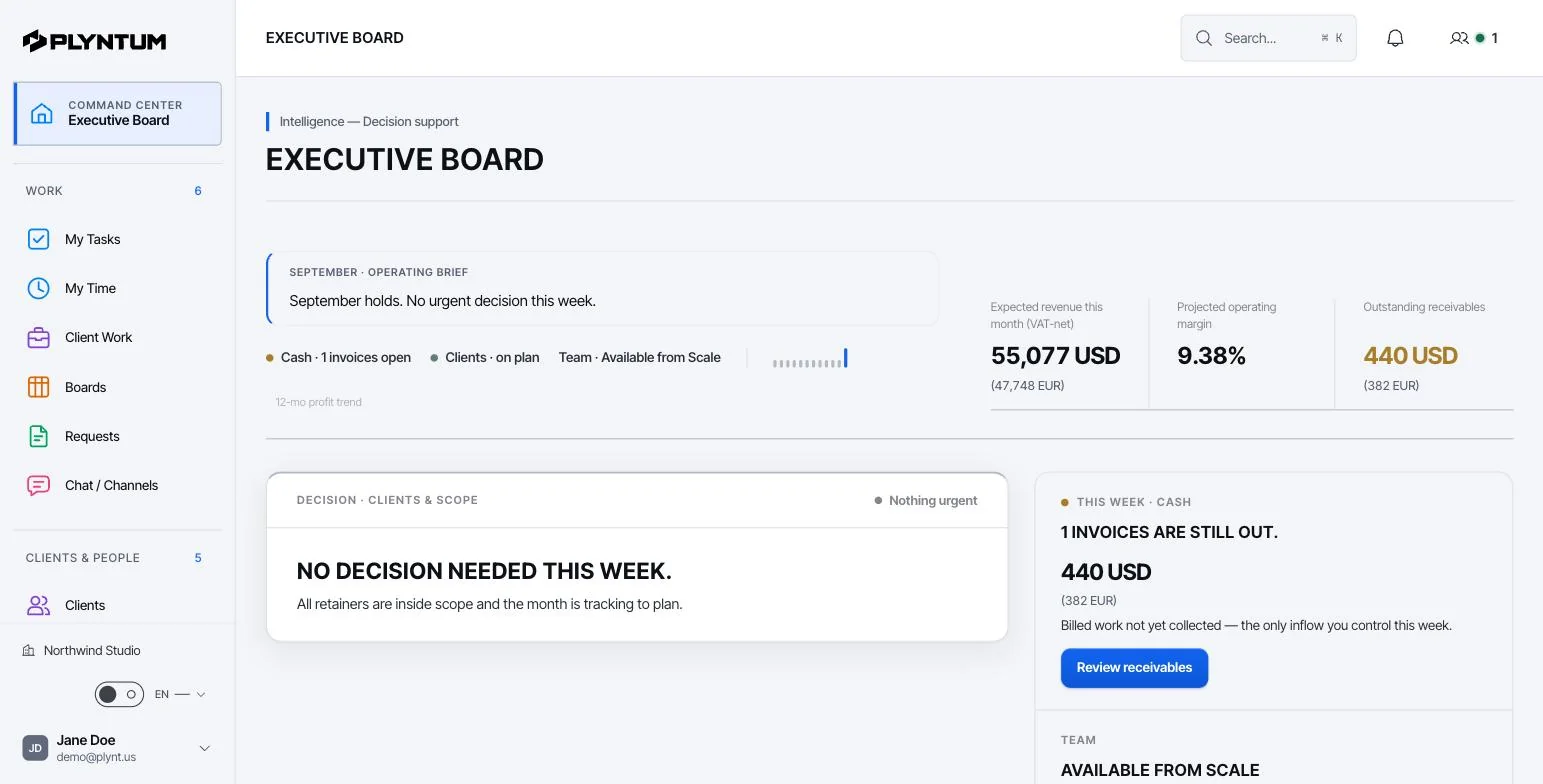
PLYNTUM is business management software for service companies. Projects and tasks, clients, people, time, invoices, expenses and receivables share one workspace. More on time in PLYNTUM.
- Hours on a task. Time is logged with a timer or typed in, and every entry belongs to a task in a client’s project. From Core, a manager approves each person’s week, and submitted or approved weeks are locked against edits.
- Profit per project. From Core, all logged hours become labor cost at each person’s hourly cost, derived from salary and working hours. With project expenses, that cost is set against the project value. See finance.
- Billing. Invoices, expenses and receivables on every plan; recurring invoices and a read-only client portal from Core.
The price, worked through
PLYNTUM is priced per workspace with members included: Launch $55 a month for 5 members, Core $150 for 10 and Scale $450 for 25, or $44, $120 and $360 billed annually. Signing up starts a 7-day Launch trial with no card, and there is no free plan. See PLYNTUM pricing.
Harvest Teams ($9 per seat billed annually) covers time and invoices. Harvest Enterprise ($14) is the like-for-like plan, because PLYNTUM includes approvals and profitability from Core. An example, on annual billing and before Harvest’s usage fees (checked 25 September 2026):
- 5 people: Harvest Teams $45 a month, Enterprise $70. PLYNTUM Launch is $44, without approval or profitability and capped at 10 active clients; Core is $120.
- 10 people: Harvest Teams $90, Enterprise $140. PLYNTUM Core is $120.
- 15 people: Harvest Teams $135, Enterprise $210, or $285 with Forecast. PLYNTUM Scale, which adds the workload view, is $360.
For time and invoices alone, Harvest matches Launch at 5 people and costs less above that. With approvals and profitability, Core is $20 a month less than Harvest Enterprise at 10 people, or $25 less on monthly billing ($150 against $175); at 5 and 15 people, Harvest is cheaper.
What PLYNTUM does not do
- Invoices are not built from hours. You write each invoice by hand; Harvest turns tracked time into one.
- No integrations yet. QuickBooks, Xero and others are planned, not available. Harvest connects to them today.
- No native mobile app. PLYNTUM is a web app; Harvest has Mac and iOS apps.
- No automatic time capture. Private desktop capture is in development.
- Recurring invoices are not emailed. From Core, they create the invoice record and an in-app notification; you send them yourself.
- Not accounting software. No ledger, bank feeds, tax filing or payroll.
When to stay with Harvest
- You need a timer and invoices, nothing more. Harvest Teams costs less than PLYNTUM above 5 people.
- Your invoices come straight from hours. Harvest saves a step that PLYNTUM does not.
- Your accounting runs through its integrations. If invoices flow to QuickBooks Online or Xero, keep that link until PLYNTUM’s integrations exist.
- Your team tracks on the go. Harvest has Mac and iOS apps; PLYNTUM has no native mobile app.
- You are mid-contract. On annual billing, wait for the renewal date.
Moving from Harvest
PLYNTUM has no Harvest importer. Its CSV import covers clients, employees and expenses; the rest is set up by hand.
- Export before you cancel. Clients, projects, tasks, time entries, expenses and unpaid invoices. Past time entries stay in that export, so keep it as an archive.
- Import clients, people and expenses. Paste each CSV, check the preview and commit; undo is possible within 24 hours.
- Set up projects, then open tasks. Every hour belongs to a task in a client’s project. Add project values, and each person’s salary and working hours, so profitability has something to measure.
- Re-create unpaid invoices, so receivables do not slip between systems.
- Run both for two weeks. Compare hours per project each week, and invoice from PLYNTUM once the totals match.
Try one real client on Launch’s 7-day trial first; approval, profitability and recurring invoices need Core. For help planning the move, write to us.
Sources
Every price was checked on the vendor’s own pricing page on 25 September 2026. If something has changed, tell us at info@plyntum.com and we will correct it.