
Free acceptance certificate template for services (Word)
Download a free acceptance certificate in Word, in English and Georgian: the one-page document in which the client confirms that the services were delivered and accepted. It names the parties and the contract, lists the services with quantities and amounts, records any remarks and closes with both signatures, so the invoice that follows has something to point to. A Georgian and English version, with both texts side by side, is also available.
Free, no sign-up · .docx, one page, no macros · opens in Google Docs and Pages · not legal advice
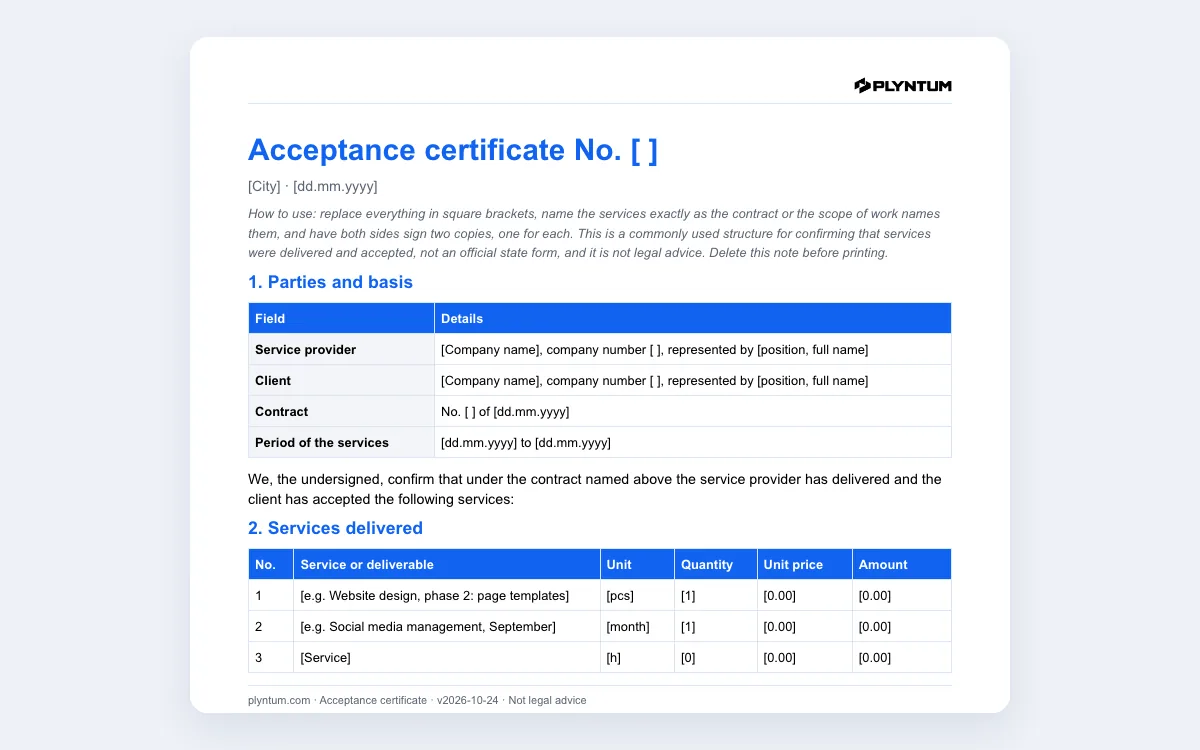
Word · .docx, one page, no macros · opens in Google Docs and Pages · not legal advice
Georgian and English · Georgian left, English right · .docx, no macros · not legal advice
Listing what was delivered from memory? In PLYNTUM people log hours against the project’s tasks on every plan, so the list for this certificate comes from the record.
What is in the acceptance certificate
The file, plyntum-acceptance-certificate.docx, is one page with five blocks:
- Parties and basis: the service provider and the client with their company numbers and representatives, the contract number and date, and the period of the services.
- Services delivered: one line per service or deliverable with unit, quantity, unit price and amount, then the total, tax if you charge it, and the total due, also in words.
- Quality and remarks: either the statement that the client has no claims about quality, scope or timing, or a list of remarks with the date by which they will be corrected.
- Payment: the amount, the due date, the invoice number and the account, or a note that the client paid in advance.
- Signatures: position, name, signature and date for both sides, and a stamp if your companies use one.
The document opens in Word, Google Docs and Pages. A grey note at the top explains how to fill it in; delete it before printing.
When to use one
An acceptance certificate closes a stage of work. Use one when a project phase is finished, at the end of each month of a retainer, or when the contract says that payment follows acceptance. If your client’s accounts team files a certificate with every invoice, send the two together, with the same amounts.
The certificate does not replace the contract or the invoice. The contract sets what was agreed, the certificate confirms what was delivered, and the invoice asks for the money. Keep the three consistent: the certificate names the contract, and the invoice names the certificate if your client asks for it.
How to fill it in
- Copy the services from the contract or the scope of work. Use the same names, so nobody has to guess which line is which.
- One line per deliverable or per month. “Website design, phase 2: page templates” can be checked; “design services” cannot.
- Check the arithmetic. Quantity times unit price on every line; the total has to match the invoice to the cent.
- Write remarks instead of refusing to sign. If something is missing, list it with a date. The rest of the work is accepted, and the remark has a deadline.
- Sign two copies, one for each side. If you exchange scans or PDFs instead of paper, agree that in writing first and check what your contract says about signatures.
A commonly used structure, not an official form
The template follows the structure companies commonly use for an acceptance certificate for services: parties, basis, the list of services, remarks, payment and signatures. It is not an official state form. Your contract may ask for more: acceptance criteria for each deliverable, a period within which the client can raise remarks, or what happens if the client does not sign. Where the contract sets the procedure, follow the contract, and for a disputed acceptance ask a lawyer. This template is not legal advice.
If you are registered for VAT in Georgia, the certificate does not replace the tax invoice issued in the Revenue Service system (rs.ge). Ask your accountant which documents your transaction needs.
Where PLYNTUM fits
The hard part of an acceptance certificate is the list: what exactly was delivered this month. In PLYNTUM the project sits with its client, the work is split into tasks, and people log hours against them on every plan, so the list comes from the record instead of memory. Invoices, payments and the outstanding balance sit on the same client, and from Core the client portal shows the client their projects, invoices and balance. PLYNTUM does not draw up the certificate itself: you fill in this file and both sides sign it.
Related pages
Common questions
Start with the work that keeps getting stuck.
Bring one project into a connected workspace. See the work, the people and the cost together.