
Your SEO tools report on the site, not on the agency
An SEO agency usually has a strong stack for the work itself: Ahrefs or Semrush for keywords and backlinks, Search Console for what Google sees, Looker Studio for the client report. Those tools answer one question well: how is the client’s site doing?
They do not answer the other one: is this client paying for the hours we spend on them? That question sits at the center of SEO agency operations, and the answer usually lives in a spreadsheet updated at the end of the month, if at all.
SEO retainers widen the gap. Results take months, so a client who cannot yet see rankings move asks for visible activity: one more article, a quick look at a competitor’s site, a call to walk their developer through the fixes. Each ask is reasonable. None of them changes the invoice. A retainer priced at 30 hours drifts to 38 without anyone deciding it should.
What to track in an SEO agency
- The deliverables each retainer buys, month by month: for example four articles, a batch of technical fixes, six hours of link outreach and a monthly report.
- Hours per client against the hours the fee assumed, while the month is still running.
- Whose hours they are. An hour from a senior strategist and an hour from a junior writer cost different amounts.
- Every “can you also…” with a decision: included, charged, or moved to next month.
- Invoices and payments per client, so a late payer shows up before next month’s work starts.
- Margin per client, so renewal and pricing conversations start from numbers.
How it works in PLYNTUM
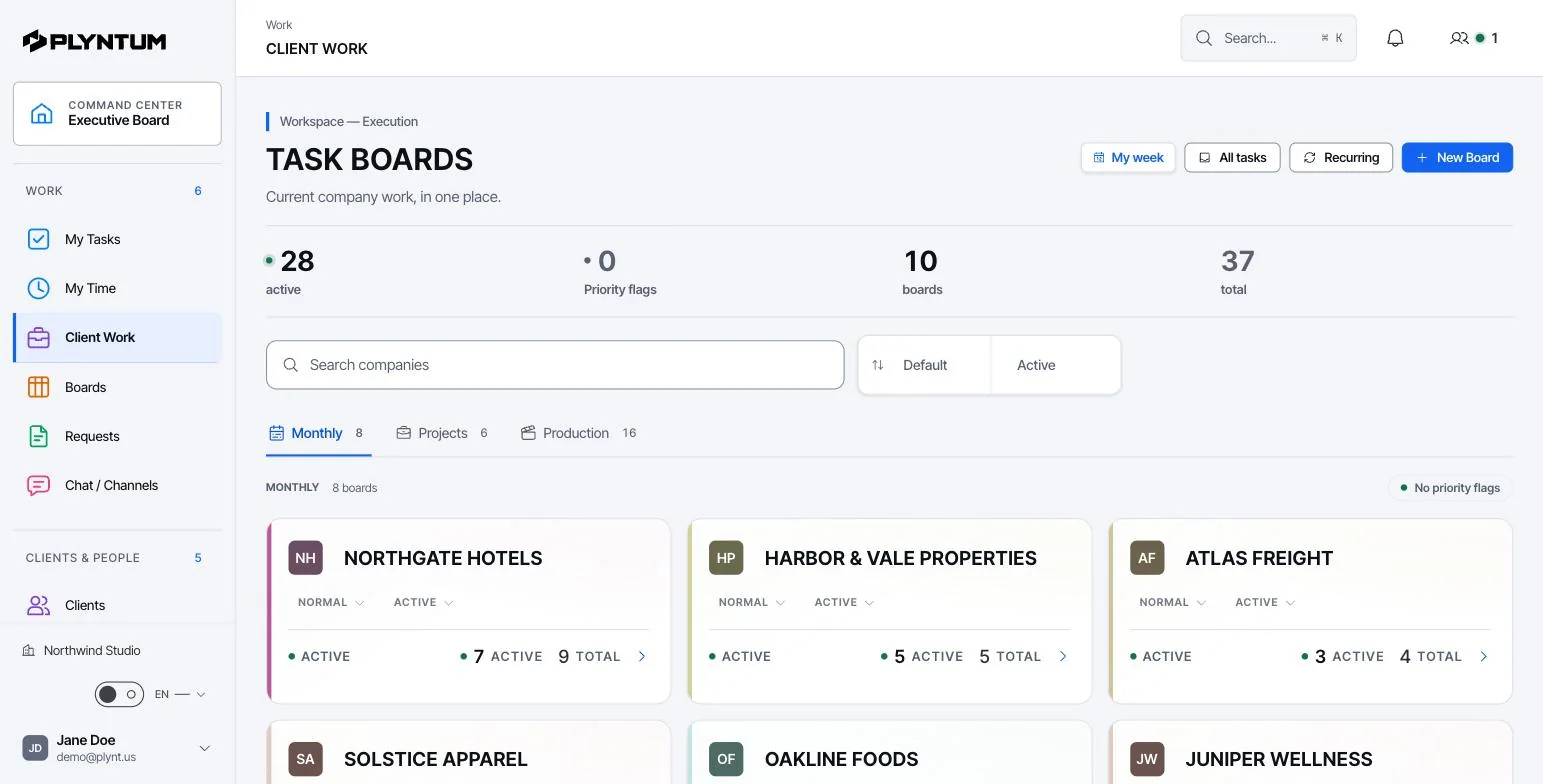
- The retainer on the client record. Each client holds its contacts, projects and retainer: the monthly fee and the deliverables agreed. From Core, the client can open a read-only client portal by private link and see their projects, invoices, payments, balance and what the retainer includes.
- Monthly deliverables as recurring tasks. Set up the articles, the technical fixes, the outreach block and the report once, from recurring task templates, each with an estimate in hours. They come back every month on the client’s retainer project.
- Hours on the task. People record time with a manual timer or a weekly timesheet. Each hour belongs to a task, and the task to a project and a client, so the monthly total per client needs no re-entry. From Core, a manager approves timesheets before hours count as cost. More on time tracking and approval.
- Client asks as requests. A new ask goes in as a request with an owner and a recorded decision. Once accepted, it becomes a task, so the hours spent on it land in the right place.
- Invoices. Invoices, payments and receivables are on every plan. From Core, the retainer fee can go out as a recurring invoice. See invoices, expenses and profitability.
- Margin per client. From Core, approved hours are costed at each person’s loaded hourly rate and set against the fee and direct costs, such as a freelance writer or a tool license you re-bill. Overhead is not allocated, so the figure is contribution before overhead, not net profit.
A retainer month, worked through
The figures below are an example, not a benchmark. A nine-person SEO agency has 14 retainer clients paying between $1,500 and $4,000 a month. One pays $3,000 for four articles, technical fixes, link outreach and a monthly report, priced at 30 hours. Each person’s loaded cost (salary and employment costs divided by the hours they actually work) averages $45 an hour on this account.
| Deliverable | Budgeted hours | Approved hours |
|---|---|---|
| Four articles: brief, writing, edit, upload | 14 | 16 |
| Technical fixes and tickets for the developer | 7 | 8 |
| Link outreach | 6 | 6 |
| Monthly report and call | 3 | 4 |
| Requests outside the plan | 0 | 4 |
| Total | 30 | 38 |
| Per month | As planned | As delivered |
|---|---|---|
| Approved hours | 30 | 38 |
| Cost at $45 an hour | $1,350 | $1,710 |
| Contribution on the $3,000 fee | $1,650 (55%) | $1,290 (43%) |
| Fee earned per hour worked | $100 | $79 |
The invoice did not change. Eight extra hours cost $360 and took 12 points off the margin. Over a year that is 96 hours, about $4,300 at cost, on one client. If five of the 14 clients run like this, the agency gives away 40 hours a month: a full working week of one person.
What the account lead does mid-month. With time logged daily, the client shows 24 hours after two weeks: 80% of the plan with half the month to go. Opened by task, the overrun has two causes: the client’s reviewer changed and the articles needed a second edit, and four small requests came in. Before the month ends, the lead agrees one of three things with the client: the requests move into next month’s plan, the article process changes (one reviewer, one round of edits), or the fee rises from the next invoice, with the hours to show why.
Work out your own loaded hourly cost with the hourly rate calculator.
Overservicing should be a decision
Some overservicing is deliberate. The first three months of a new retainer often take more hours than the fee covers: an audit, a backlog of technical fixes, getting access to the client’s CMS. An agency may also invest time in a client it expects to grow. Those are business decisions.
The problem is the overservicing nobody chose. It pushes up the utilization rate, so the team looks busy and billable, while the fee earned per hour falls. For how small asks add up over a quarter, read how scope creep builds up.
Record goodwill as a decision. A request marked “included, no charge” keeps the two apart. The hours still count against the client, and at renewal you can see what the goodwill cost and decide whether to keep giving it.
What PLYNTUM does not do
- No SEO tools. No rank tracking, site audits, keyword research or backlink analysis. Keep Ahrefs, Semrush and Search Console for the work.
- No reporting dashboards from Google data. Search Console, Google Analytics and Looker Studio do not connect to PLYNTUM, so the client report is still built where it is today. The client portal shows projects, invoices and the retainer, not rankings or traffic.
- No integrations or public API today. Connections such as Google Calendar, Google Drive, Slack and Zapier are planned, not available.
- Manual time only. Hours go in with a timer or a timesheet; automatic desktop capture is in development.
- No sales CRM yet. A pipeline for prospects is planned; until then, deals live in another tool.
- Not accounting software. No ledger, bank feeds, tax filing or payroll.
What it costs for 5, 10 and 25 people
PLYNTUM is priced per workspace with members included, not per seat. Prices in US dollars:
| Team | Plan | Billed monthly | Billed annually | Clients and projects |
|---|---|---|---|---|
| 5 people | Launch | $55 a month | $44 a month | 10 active clients, 20 projects |
| 10 people | Core | $150 a month | $120 a month | 25 clients, 50 projects |
| 25 people | Scale | $450 a month | $360 a month | Unlimited |
Check the client limit, not only the head count. A five-person SEO agency with twelve retainers has more clients than Launch holds and needs Core. Core is also where the retainer tools start: timesheet approval, project profitability, recurring invoices and the client portal. Scale adds capacity planning, portfolio analytics and what-if forecasting.
Launch is the only plan with a free trial: 7 days, no card. On a per-seat tool at $25 a user, teams of the same sizes would pay $125, $250 and $625 a month. Current limits are on the pricing page.
Choosing software for an SEO agency
Search for SEO agency project management software, or software for SEO agencies, and most results are lists of SEO tools. Those tools do the work; this category runs the agency. Four questions separate them, whichever vendor you look at:
- Does it know what an hour costs? A task board with a timer shows where time went. It cannot show what a client earned unless each hour carries a cost.
- Are hours approved before they become cost? Unreviewed time turns a margin report into a guess.
- Can a client see what the retainer includes without seeing your internal board?
- How does the price grow? Per-seat pricing rises with every hire; a workspace price rises when you cross a plan’s member limit.
If a sales pipeline is the priority, choose a tool that has one today; PLYNTUM’s is planned. For the wider picture, see PLYNTUM for agencies, PLYNTUM for marketing agencies on retainer and the agency management software guide, which compares fourteen tools on their published prices.
Start with one retainer
- Pick the retainer you suspect runs over. Add the client, the monthly fee and the deliverables.
- Create the month’s deliverables as recurring tasks with an estimate in hours, and add each person’s loaded hourly cost. Cost rates are visible to leadership only.
- Ask the team to log time daily for two weeks, then compare the hours with the plan while the month can still be steered.
- Move client asks out of email into requests with a decision.
Launch’s 7-day trial is enough to see the gap; approval, profitability and the portal need Core.