
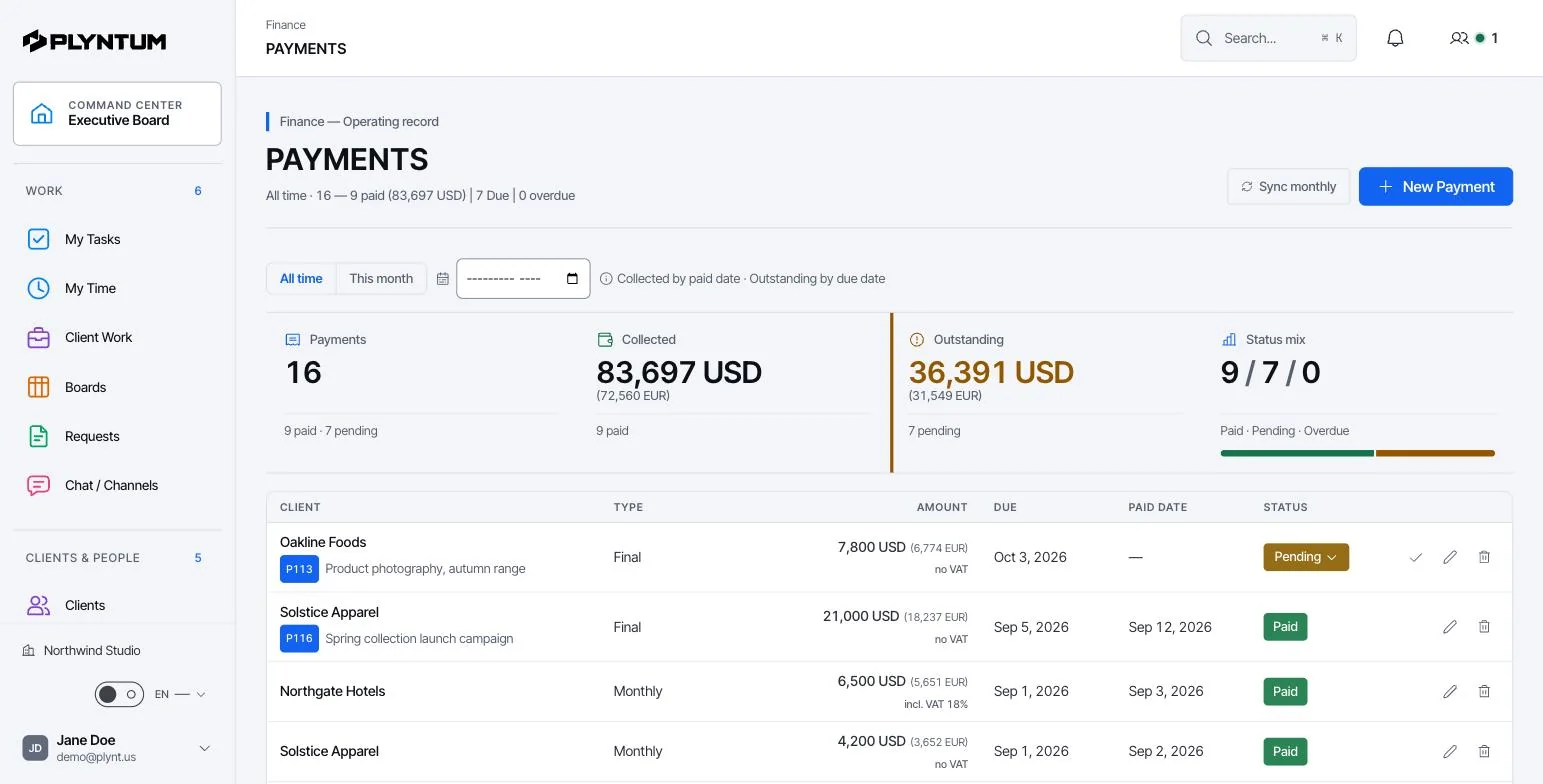
What the client sees
- Projects: name, description, status, deadline and price of their recent projects, active ones first.
- Invoices: recent invoices with number, issue and due dates, totals and whether each is paid. Each invoice opens with its lines.
- Payments: the payment history with amounts and dates.
- Balance: what is outstanding and what is overdue.
- Retainer: on an active retainer, the monthly fee, the billing day and the deliverables contracted each month.
- Your company: your name, logo and contact details, so the client knows who it comes from.
In practice it answers the questions that otherwise arrive by email: where is my project, which invoice is still open, what did we agree for this month.
What stays inside your team
The portal shows one client’s records and nothing else. The client does not see:
- other clients or their projects;
- tasks, internal notes and team discussion;
- tracked time, timesheet approvals and who worked on what;
- costs, rates, salaries and project profitability.
How access works
- Create a link from the client’s record. Owners and managers can do it; you can add a label and the contact’s email so you know who has which link.
- Send the link to the client. The link is the key: the client needs no account and no password.
- See whether it is used. Each link shows how many times it was opened and when it was last viewed.
- Revoke it when needed. A revoked link stops working at once. Create a new one for a new contact.
Because anyone with the link can open it, send it only to the right person and revoke it when that person leaves the client’s company.
What the portal does not do yet
Which plan includes the client portal
The client portal is part of Core, Scale and Intelligence. It is not in Launch, which is also the plan with the 7-day free trial. Core costs $150 a month for up to 10 members, or $120 a month billed annually, and also adds timesheet approval, recurring invoices and project profitability. Compare all plans on the pricing page.
Client portal, guest access or a status email
| Option | What the client gets | Where it falls short |
|---|---|---|
| Status email | A summary you write each week | Takes someone’s time every week and is out of date the next day |
| Guest access to your task tool | Your boards, as far as permissions allow | Shows the work, not invoices or balances, and exposes internal detail if permissions slip |
| A client portal | Their projects, invoices, payments and balance | Shows what is recorded; it is only as current as your records |
See also client and project management and client records.