
Project management software for consultants and consulting firms
PLYNTUM is project management software for consultants and consulting firms that sell expertise by the hour, by the engagement or on retainer. Engagements, tasks, logged hours, billable rates, invoices and profitability sit in one workspace, so utilization and margin per engagement are visible while the work is still running. It is priced per workspace, not per user.
Key facts
- Engagement types
- Fixed fee, time and materials and retainers on one client record, as separate projects.
- Core ($150, 10 members)
- Timesheet approval, billable rates, profitability per engagement, recurring invoices and the client portal.
- Scale ($450, 25 members)
- Workload, capacity and resource planning, portfolio analytics and what-if forecasting.
- Scope and limits
- CRM core is available to eligible users. Proposal delivery, automatic time capture, accounting and payroll are outside this core scope.
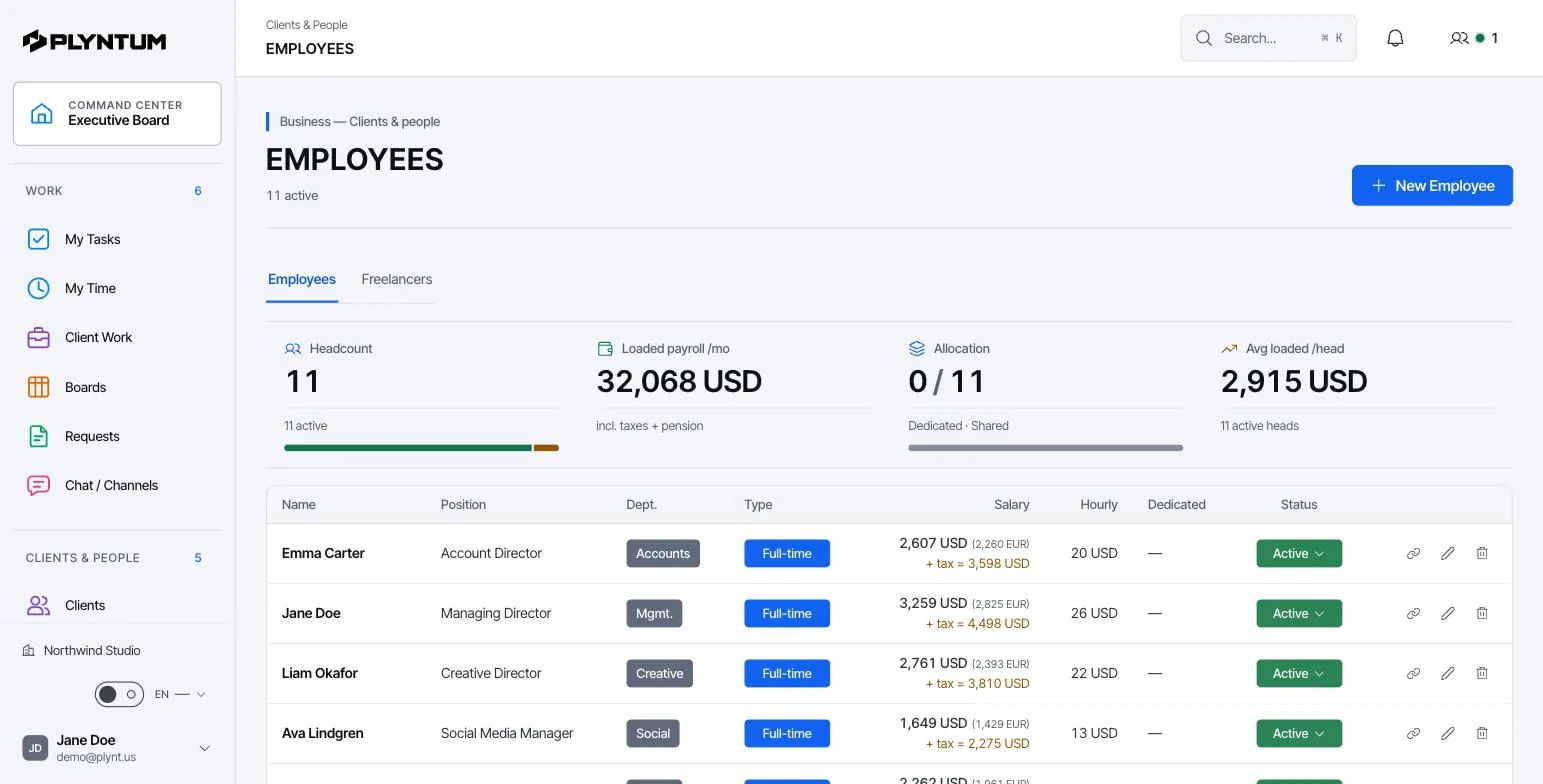
How it looks in PLYNTUM.
Screens from a demo workspace with sample data, as the product looks today.
Utilization is not a feeling
A partner knows roughly who is busy. Roughly is enough to staff next week and useless for the question that decides a year: what share of the hours the firm paid for were sold.
The gap is rarely idleness. It is internal work, a proposal that took eleven days, a client who needed three calls that were never recorded, a project that ran two weeks past its fee. Each is defensible; none appears anywhere until someone reconstructs the quarter from calendars.
An invoice raised without the hours behind it is also a slower invoice. It is queried, it waits, and it is paid late.
Three engagement types and what to track in each
Most consulting firms run more than one commercial model at once, and each has its own weak point. Consulting project management software has to hold all three on one client record, because the same client often buys a fixed-fee diagnostic, then time-and-materials support, then a monthly advisory retainer.
| Engagement type | How it is priced | What to track | Where the money leaks |
|---|---|---|---|
| Fixed fee | One price for a defined scope, often split into phases | Logged hours against the hours the fee assumed, per phase; agreed changes as their own tasks | Extra interviews, another workshop, a report rewritten twice. The fee stays; the hours grow. |
| Time and materials | Hours at an agreed rate, plus expenses | Approved billable hours by person, the rate on each, write-offs, expenses to re-bill | Hours logged but never invoiced, or cut to avoid a difficult conversation. |
| Retainer or advisory | A monthly fee for access or for an agreed number of days | Hours per month against what the fee assumed; the renewal date | Calls and “quick questions” nobody logs, until the retainer covers half the time it covered in month one. |
All three rest on logged hours on the engagement they belong to. For choosing between the models, read fixed price or hourly.
What a firm needs in place
- Every hour attached to a client or an internal reason. Unassigned time is the part of the year nobody can explain.
- A review step before hours reach an invoice. A partner’s correction belongs before the client sees the number, not after.
- Cost per person, not an average rate. Utilization calculated on an average tells you nothing about which engagements are worth taking.
- Fixed-fee and time-and-materials in the same view, because most firms run both.
- Capacity before commitment. The answer to “can we take this on in March” should not require three conversations.
Taken together, that list is what software vendors call professional services automation (PSA): professional services project management plus the hours, costs and invoices around it. General task tools cover the first half; consulting firm software has to cover both.
Consultant utilization and realization, worked through
The consultant utilization rate is billable hours divided by available hours: the share of paid time that goes to client work. Realization is the amount actually invoiced divided by the value of those billable hours at standard rates: the share of sold time the firm gets paid for. A firm can be busy all month and still lose money on either one.
The figures below are an example, not a benchmark. A firm has 12 consultants, each with 150 available hours a month after leave and public holidays. The target is 70% billable, the standard rate is $120 an hour, and the month closes at 61%.
| One month | Target | Actual |
|---|---|---|
| Available hours (12 × 150) | 1,800 | 1,800 |
| Billable hours | 1,260 (70%) | 1,098 (61%) |
| Value at $120 an hour | $151,200 | $131,760 |
| Invoiced, at 90% realization | — | $118,584 |
Nine points of utilization are 162 hours a month. At $120, that is $19,440 of work the firm had the people for and did not sell: about $233,000 over a year. Realization then takes another $13,176, in hours written off on a fixed fee that ran over or trimmed from an invoice. The effective rate on the billable hours falls from $120 to $108.
Where the nine points went. When every hour is attached to a client or an internal reason, the answer is a list rather than a debate: proposal work, internal projects, time between engagements, calls nobody logged. Each has a different fix, and only one of them is selling more.
Run the same arithmetic for your own team with the utilization rate calculator, and read how to measure utilization. The hourly rate calculator checks whether your rate covers the real cost of an hour at that utilization.
How it works in PLYNTUM
Each engagement is a project under its client, with tasks for its phases or workstreams. Hours are recorded against those tasks with a manual timer or a weekly timesheet, and, from Core, approved each week, which locks the week before anything is invoiced. Loaded hourly cost is held per person, so a report separates a senior week from a junior one.
- Timesheet approval (Core). A manager or partner approves each week or rejects it with a note, so a mistyped 40 is corrected rather than invoiced.
- Billable rates (Core). An hour carries what it is sold for as well as what it costs, which is what time-and-materials billing and realization depend on.
- Profitability per engagement (Core). Logged hours at each person’s loaded cost, plus direct expenses, are set against the fee or the amount invoiced. The result is contribution before overhead, not net profit. Reports show what each figure is built from; see budgets, costs and profitability.
- Recurring invoices and a client portal (Core). An advisory retainer is invoiced on schedule, and the client opens a private, read-only link to their projects, invoices and balance.
- Capacity and resource planning (Scale). Every plan shows who is assigned to what, with attendance and leave, in people and workload. Workload, capacity and resource planning across the firm, portfolio analytics and what-if forecasting start on Scale.
Salary figures are visible to leadership only; other roles see the work without the pay. Firms with a second entity — a training arm, a foreign company — keep each in its own workspace, with one login to switch between them.
Proposals, scopes and the sales pipeline
PLYNTUM supports internal CRM proposal drafts from Core. These do not provide client-facing quotation delivery, signed contracts or an e-signature workflow. What most consultancies lack is not a proposal format but a link between the price in the proposal and the hours the work then takes.
Two free Word templates cover the documents: a project proposal template with approach, team and two pricing options, and a scope of work template with deliverables, acceptance criteria, exclusions and a change process. Once the client signs, you enter its phases as tasks with estimated hours, so assumed and actual hours can be compared from day one.
CRM core is released, subject to plan, role and permissions. Proposal drafts, won-deal handoff and manual forecasts have plan limits; inbox and integrations require separate setup. AI and private capture remain in development. Review CRM access and limits.
What it costs for 5, 10 or 25 people
PLYNTUM is priced per workspace with members included, not per seat. Prices are in US dollars a month; annual billing is 20% less.
| Team size | Plan | Billed monthly | Billed annually | What a consultancy gets |
|---|---|---|---|---|
| Up to 5 | Launch | $55 | $44 a month | Engagements, tasks, manual time tracking, timesheets, invoices, expenses, people and leave. 7-day free trial, no card. |
| Up to 10 | Core | $150 | $120 a month | Adds timesheet approval, billable rates, profitability per engagement, recurring invoices, the client portal and a 13-week cash flow overview. |
| Up to 25 | Scale | $450 | $360 a month | Adds workload, capacity and resource planning, portfolio analytics, what-if forecasting, custom roles, renewal workflows and a full audit log. |
One catch is the step between bands: an eleventh person moves a firm from Core to Scale. And a five-person firm that needs approvals and engagement margins needs Core, not Launch. Per-user tools charge for every consultant instead; the software comparison guide reads other tools on their own published prices, and the pricing page has the current limits.
What PLYNTUM does not do
Below Scale, capacity is a view of assignments, attendance and leave, not a forecast, and there is no skills matching on any plan. Firms that bill strictly by the hour with no project structure may find a dedicated time-and-billing tool simpler; the time tracking software guide compares them.
Related pages
Common questions
Start with the work that keeps getting stuck.
Bring one project into a connected workspace. See the work, the people and the cost together.